Skip to content
Codes delivered in minutes 7-day money-back guarantee UK & US support, 7 days a week
See all 4 plans Order on WhatsApp

Live now · codes sent within minutes

XerquvaTV 4K IPTV Live TV, sports and movies in sharp 4K for UK and US homes

Order once, receive your login by WhatsApp or email, and watch more than 25,000 live channels plus a library of over 100,000 movies and episodes on the screens you already own. No dish on the wall, no rented box, no engineer visit and no monthly bill creeping up: everything runs over your home internet, and a 7-day money-back guarantee covers you if it does not work in your home.

  • 25,000+live channels
  • 100,000+movies & episodes
  • 5 mintypical setup
  • 7 daysmoney-back

Quick answer

What is XerquvaTV 4K? It is a subscription that gives you access to live TV channels, sports, a TV guide and an on-demand library through the internet. You get three login details (Xtream Codes) and type them into a free player app such as IPTV Smarters Pro or TiviMate on your smart TV, Fire TV Stick, phone or computer. Plans cost $29 for 3 months, $39 for 6 months, $49 for 12 months or $79 for 12 months on two screens, paid once.

At a glance

Xerquvatv4k at a glance: what you get on day one

Behind the long name is a simple idea: TV that arrives through your router instead of a cable or a satellite dish. These are the four things every customer gets, whatever plan they choose.

Live channels

Entertainment, news, sports, kids, documentaries and international channels, grouped by category like a classic TV package.

On-demand library

Movies and complete series to start whenever you like, with posters, short summaries and search by title.

TV guide & catch-up

See what is on tonight across every channel and rewind selected channels to a show that already aired.

Human support

A real person on WhatsApp who helps you install the app, in English, including evenings and weekends.

Plans

Best IPTV value: choose how long you want to watch

Every plan opens exactly the same channels and the same library. The only things that change the price are the length of the plan and how many screens play at the same time. Prices are in US dollars and paid once.

  • Codes within minutes
  • No auto-renewal
  • 7-day money-back

Starter

3 months

$29one payment

That is $9.67 a month

A quarter of a year to see how everything runs on your own TV, your own Wi-Fi and at the times you actually watch.

  • 1 screen at a time
  • Every channel and the full library
  • TV guide and catch-up on selected channels
  • Setup help included
Order now · $29

Half season

6 months

$39one payment

That is $6.50 a month

Half a football season or a whole winter on the couch, at a monthly cost that is already much lower.

  • 1 screen at a time
  • Same content as the yearly plan
  • HD, Full HD and 4K where the channel airs it
  • Codes by WhatsApp or email
Order now · $39
Most chosen

Best value

12 months

$49one payment

That is $4.08 a month

The lowest price per month: a full year of TV, sports and movies, settled in one payment.

  • 1 screen at a time
  • 25,000+ live channels
  • 100,000+ movies and episodes
  • 7-day money-back guarantee
Order now · $49

Paying from the UK? Your bank converts the dollar amount to pounds at its own rate on the day you pay. The total you see on the payment page is the total you pay: no setup fee, no shipping, no deposit.

Devices

IPTV TV on any screen: smart TV, stick, phone or laptop

You do not need new hardware to start. Most households use a device that is already plugged in somewhere in the house. Here is how each one does.

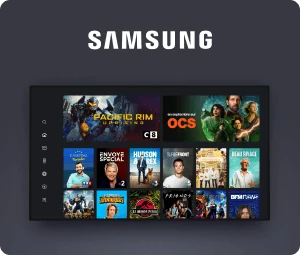
Samsung smart TV with a streaming app open

Samsung & LG smart TVs

Recent models offer several player apps in their own app store. One remote, no extra box, and a clean picture on the biggest screen in the room.

Smart TV setup
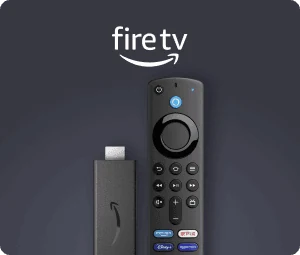
Amazon Fire TV Stick with its voice remote

Amazon Fire TV Stick

Cheap, easy to find in any electronics store and the quickest way to turn an older TV into a smart one. Our usual tip for beginners.

Fire TV setup
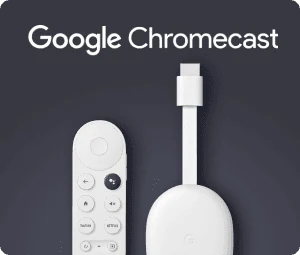
Chromecast with Google TV and its remote

Chromecast & Google TV

Google TV devices run every major player from Google Play, with a proper remote, so the experience feels like a cable box without the rental.

Google TV setup
iPhone showing a TV streaming app

Apple TV, iPhone & iPad

Players from the App Store work on the Apple TV 4K and on iPhone and iPad, handy for the commute, the school run or a hotel room.

Apple setup
Android phone showing a TV streaming app

Android phones & tablets

Install a player from Google Play, sign in once, and the full channel list follows you to the kitchen, the garden or the train.

Phone setup
PlayStation, Xbox and Xiaomi logos

Xbox, Xiaomi & more

Xiaomi boxes and sticks run Android TV, so every player works. Xbox has a few players in the Microsoft Store; on PlayStation a stick in a spare HDMI port is the easier route.

Ask which fits

Windows, Mac & Chromebook

A desktop player, or a media player that opens M3U links, gives you a second screen at your desk while the game runs on the TV.

Computer setup

Not sure about your device?

Send us the brand and model of your TV or box. We tell you honestly which player works before you pay anything.

Check my device

Good to know: a player app contains no channels at all. It is an empty remote control until you add your codes. Stay away from modified apps that promise channels “already inside”, and download players only from the official store of your device.

How it works

How IP TV works, from your first message to the first channel

Internet Protocol television sends the picture through your broadband line in small data packets, the same way a streaming service does. For you it simply means: an app, three details, and the channel list appears.

  1. 01

    You choose

    Tap a plan and a WhatsApp chat opens with your choice already typed. A team member asks which device you use, so you get the right guide and no surprises.

  2. 02

    You pay securely

    You receive a secure payment link for Visa, Mastercard, American Express, Apple Pay or Google Pay. We never see your card number.

  3. 03

    You get your codes

    A server address, a username and a password (Xtream Codes), plus an M3U link for players that ask for one, usually within a few minutes.

  4. 04

    You watch

    Install a free player, enter the details and the channels, TV guide and library load. Stuck at any point? Send a screenshot and we guide you.

Pick my plan

Family plan

Two screens at once for busy households

The family plan lets two devices play at the same moment, each on its own channel and in the same quality. Think of the Sunday afternoon game on the big TV downstairs while someone upstairs finishes a series in bed.

What counts is how many screens are switched on at the same time, not how many people live in the house. A family of five watching together on one couch needs a single screen. A couple where one follows football and the other watches a cooking show needs two.

Not sure yet? Start with a one-screen plan. When you renew, just tell us and we will move you to two screens if it turns out you really need them.

  • A different channel on each screen
  • Guided setup on both devices
  • $6.58 a month for the whole house

Two rooms

12 months – 2 screens

$79one payment

That is $6.58 a month

Two screens at once: the game in the living room and a cartoon in the kids’ room, same quality on both.

  • 2 screens at the same time
  • A different channel on each screen
  • Guided setup on both devices
  • 7-day money-back guarantee
Order now · $79

Sports

Streaming live sports: Premier League, NFL, NBA and Formula 1

Sport gets several categories of its own in the channel list, and on busy evenings many channels carry games at the same time, often in Full HD and sometimes in 4K. These are the regular moments when couches fill up on both sides of the Atlantic.

EventUsual dayTypical start
Premier LeagueSaturday12:30 · 17:30 UK
Premier LeagueSunday14:00 · 16:30 UK
Champions LeagueTue / Wed20:00 UK · 3:00 pm ET
NFL SundaySunday1:00 · 4:25 · 8:20 pm ET
NBA & NHLMost nights7:00 – 10:30 pm ET
Formula 1 (Europe)Sunday14:00 UK · 9:00 am ET

Two features make a packed weekend easier. The TV guide shows what is on each channel for the next hours, so you find the right game without zapping through a hundred channels. Catch-up, available on selected channels, lets you start a match you missed from kick-off later in the evening.

Watching from the UK? A Sunday NFL slate starts at 6 pm your time and the late game runs past 1 am, so catch-up and the library are your friends on a Monday morning. Watching from the US? European football lands in the morning: perfect with a coffee, harder before work.

Times are indicative and change by competition, round and broadcaster. The channels available for a given event can vary.
Channels

TV IPTV channel categories: what you find in the list

The list is sorted into categories, just like a cable package: two clicks on the remote take you from the news to sports or to the cartoons. These are the main groups.

United Kingdom

The national public channels, the big commercial networks, regional news and entertainment, live and at the same time as the broadcast.

United States

Network channels from several cities, cable-style entertainment, news and lifestyle channels, organized so each time zone is easy to find.

Sports

Football from England and Europe, NFL, NBA, MLB, NHL, college sports, Formula 1, golf, tennis, boxing and fight nights.

Movies & series

Movie channels by genre and series channels, on top of the on-demand library you can start at any moment.

Kids & family

Cartoons for little ones and shows for teens, easy to put in a favorites list so children find their way alone.

International

Channels by country: Irish, Canadian, Indian, Pakistani, Arabic, Spanish, Portuguese, Polish, Turkish and more. Looking for one in particular? Ask us before ordering.

See how the channel list is organized

Worldwide

International channels from every continent, in one IPTV list

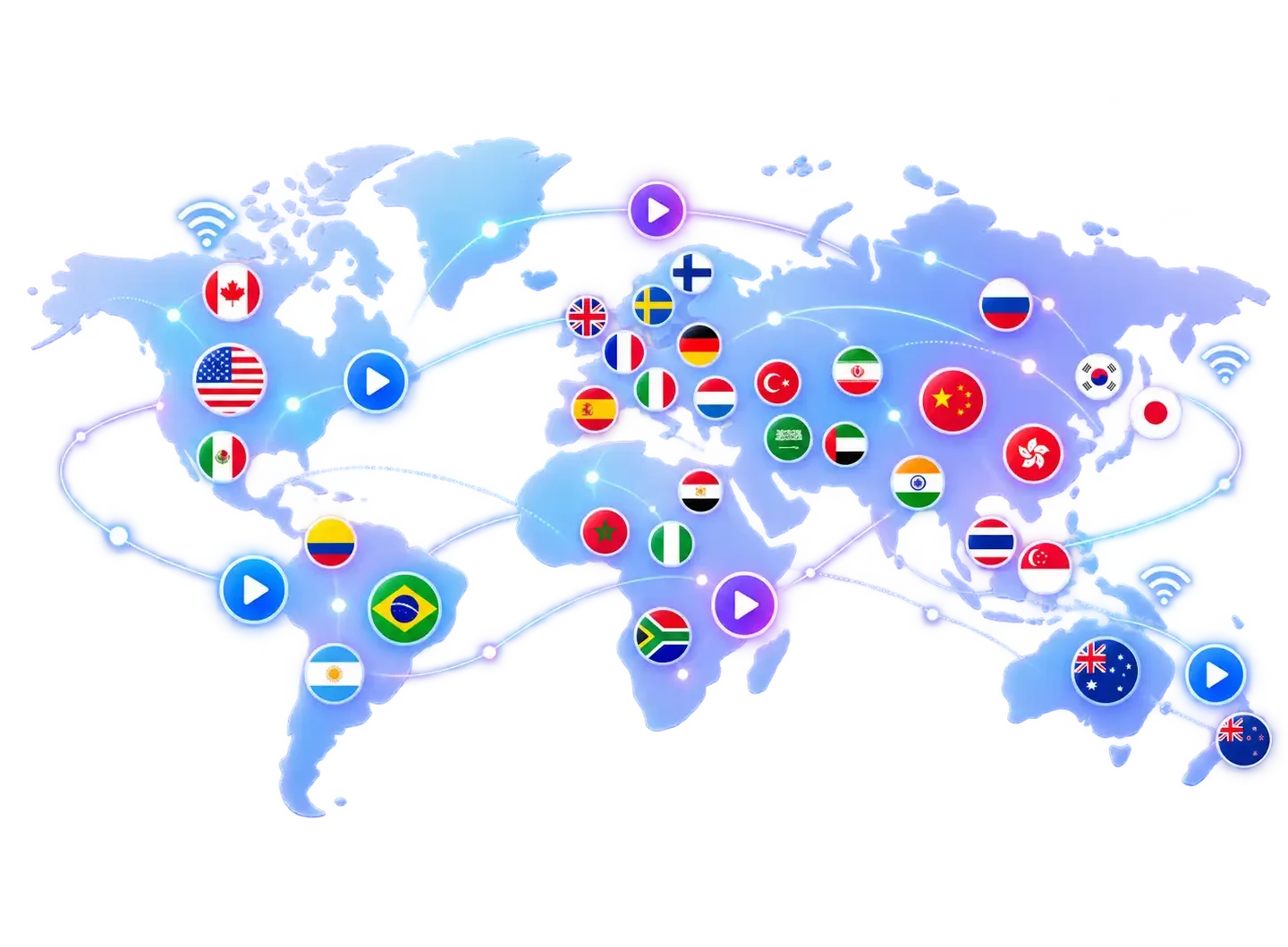
Families in London, Leicester, New York or Houston often want a channel from home as well: the news from Lagos, a match from Buenos Aires, a series from Seoul. The international section groups channels by country, so the one you grew up with is a few clicks away.

World map with country flags linked by streaming connections, from North America to Australia
  • UK & Irelandnational, regional and Irish channels
  • USA & Canadanetwork, cable-style and Canadian channels
  • EuropeFrance, Spain, Italy, Germany, Netherlands, Nordics, Poland
  • Middle East & AsiaArabic, Turkish, Iranian, Indian, Pakistani, Chinese, Korean
  • Africa & Latin AmericaNigeria, Morocco, Egypt, South Africa, Brazil, Mexico, Argentina

The exact channels per country change over time. Looking for one in particular? Ask us on WhatsApp and we check today’s list before you order.

Inside the library

  • 100,000+movies and episodes to start on demand
  • By seasonseries sorted episode by episode, most players resume where you stopped
  • Subtitlesmany titles in original version with subtitles; languages vary per title
  • Searchfind a film by title in seconds instead of scrolling

On demand

Movies and series on demand, whenever it suits you

Live TV is only half of it. The library works like a streaming service: new additions, genres, film collections and family movies, each with a poster and a short summary. You press play when you are ready instead of waiting for a channel to air something.

Rainy Saturday? Binge a full season. Long flight tomorrow? Some players let you build a watch list so you can pick up a title on another device later. And because the library is part of every plan, there is nothing extra to rent or buy per film.

Picture quality depends on the title and on your connection: older films may only exist in HD, while recent releases and series are often available in Full HD or 4K.

Your day

One subscription, two sides of the Atlantic

Our customers live from London to Los Angeles, eight hours apart. This is how a normal day of watching tends to look on each side, and what TV over the internet changes at each moment.

07:00 – 09:00

Breakfast

UK: morning news in the background while the kettle boils. US: the European football highlights from last night, rewound on catch-up before the school run.

12:00 – 14:00

Lunch break

A phone is enough. A one-screen plan works fine at the office or on a work-from-home day, as long as nobody is watching at home at the same moment.

16:00 – 19:00

After school

Kids find their cartoons in their own favorites list, and parental controls in the player lock the categories that are not meant for them.

20:00 – late

Prime time

The evening game, a talk show, then a movie or a few episodes from the library. In the UK, US prime time sports run late, so catch-up saves your sleep.

Connection

Internet speed for 4K: fiber, cable or Wi-Fi?

Any broadband provider works: BT, Sky, Virgin Media or TalkTalk in the UK, Xfinity, Spectrum, AT&T or Verizon in the US. What matters is the speed and stability that actually reach the device you watch on.

15 Mbpsrecommended for HD, measured on the device you watch on
25 Mbpsfor 4K; add the speeds together when two screens play at once
Cablean Ethernet cable or 5 GHz Wi-Fi solves most buffering

Plug in when you can

A cable between router and TV box beats even good Wi-Fi for live sports. If the router is far away, a powerline adapter is a cheap fix.

Use the 5 GHz band

Connect the stick or TV to your router’s 5 GHz network. It is faster and less crowded than 2.4 GHz in apartments and terraced houses.

Restart before the big game

A router restart and a quick app cache clear before kick-off fix many “it was fine yesterday” moments.

Outage at your internet provider? Every service that runs over the internet stops for a while, TV included. As soon as the line is back, channels play again without any new setup. It is never a bad idea to keep a battery radio for emergencies.

Compare

IP television versus cable and satellite

Many homes in the US and the UK have paid a monthly cable or satellite bill for years. Here is, point by point, what changes when TV comes through an app instead.

TopicXerquvaTV 4KCable or satellite
Getting started An app and three details, about 5 minutesInstaller appointment, dish or box, activation call
Hardware Your smart TV, a streaming stick or your phoneA rented receiver for each TV
Paying Once for 3, 6 or 12 monthsEvery month, often with a minimum term
Price changes The price you pay is fixed for the planYearly increases are common
Extra rooms Two-screen plan, no extra boxExtra receiver or monthly add-on
Away from home On a phone, tablet or laptop with decent internetOften limited to the home network
Help WhatsApp in English, 7 days a weekCall center and hold music

No contract

Stop whenever you like: simply do not renew.

Honest about your line

Very patchy Wi-Fi or a slow line? Start with 3 months and test at home first.

Same content, every plan

No “gold” or “VIP” tier with channels held back.

Before you pay

Top rated IPTV? Six checks before you trust any rating

No website can honestly claim to be “the best” or show a score you cannot verify. These are the things we suggest you check, with us and with anyone else, before paying a cent.

  • A clear total priceThe full amount and the duration, with no fee added at checkout and no surprise charge later.
  • A written refund policyA real page explaining how you get your money back if it does not work.
  • Help when you actually watchSupport that only answers on weekdays until 5 pm leaves you alone on a Saturday night.
  • Official appsThe provider should work with players from the official stores, never with files of unknown origin.
  • No fake reviewsPerfect scores everywhere that nobody can check are a warning sign. We prefer to answer your questions.
  • Realistic adviceA good provider talks about your connection and device instead of promising a perfect picture to everyone.

From our inbox

What new customers ask us most often

No invented reviews or star ratings here. These are the situations that come back again and again in our chats, with the answer we give.

Sports

“I want to watch Sunday’s game later.”

We show which channels offer catch-up and how to put the game in favorites so you can start it without seeing the score.

Family

“Can you set it up at my parents’ place?”

Often an older TV: a Fire TV Stick in the HDMI port and a short favorites list make it simple for them.

Quality

“The picture stutters in the evening.”

Usually Wi-Fi. We have you try a cable or the 5 GHz band, and switch you to another server if needed.

Travel

“We are going on vacation.”

Your codes come along on a phone or tablet with a decent connection. Only the number of screens at once counts.

Screens

“Two TVs, one subscription?”

The app can go on both. If they must play at the same time, the two-screen plan at renewal is the answer.

Channels

“I need one specific channel.”

An Indian news channel, an Irish sports channel, a Spanish soap: we honestly check today’s list before you pay.

Beginner

“I am not very technical.”

If you can install an app on your phone, you can do this. If not, we guide every step with screenshots.

Billing

“Will I be charged again later?”

No. Each plan is paid once and ends on its end date. We message you before it ends and you decide.

See the plans and prices

FAQ

Questions about XerquvaTV 4K

Ordering, setup, your connection, the TV Licence and the guarantee in a few lines each.

It is access, for a set period, to TV channels and an on-demand library delivered over the internet. You receive login details that you enter into a player app on your TV, streaming stick or phone.

You do not need a dish, an aerial or a cable box: a decent broadband connection and a compatible device are enough.

Fiber is ideal but not required. We recommend 15 Mbps for HD and 25 Mbps for 4K, measured on the device you watch on.

Cable broadband and a good copper line are usually more than enough. If you are unsure, the 3-month plan and the 7-day guarantee let you test calmly at home.

Yes. The service runs over the internet, so it does not matter whether you are with BT, Sky, Virgin Media, Xfinity, Spectrum, AT&T, Verizon or a smaller provider. Quality depends mainly on how stable your line and home network are.

Yes. In the United Kingdom you need a TV Licence to watch or record live TV as it is broadcast, on any channel and any device, including a phone or a streaming stick. This is a UK legal requirement that applies whatever service you use. There is no equivalent in the United States.

Usually within a few minutes after your payment is confirmed, by WhatsApp or email, together with a setup guide for your device.

Yes, with the 12 months – 2 screens plan at $79. With a one-screen plan you can install the app on several devices, but only one plays at a time.

No. Every plan is paid once and stops by itself on its end date. We send you a reminder a few days before.

Support first looks for the cause with you: codes, app, Wi-Fi, router. If the problem is on our side and we cannot fix it, the 7-day guarantee gives you a full refund. Read the details on the refund policy page.

Your XerquvaTV 4K subscription, today

Choose your plan, receive your codes within minutes and let us help with the setup, in plain English and at a time that suits you.

Need help? Message us